

8 Best AI-Powered Logo Design Tools in 2026: Features, Pricing, and Expert Reviews
Designing a logo is no longer a task reserved for professional designers. Thanks to AI tools, creating a brand identity has become easier, faster, and much more fun.
Today, anyone with an idea and a bit of creativity can create a professional-looking logo in minutes. From experimenting with colors and fonts to exploring countless design styles, the creative possibilities are now almost endless.
And, yes, there are dozens of such tools online. Which one is the best? The answer depends on your personal preferences and experience with each tool.
To help you choose, we have reviewed the 8 best AI-powered logo design tools and included everything from their features to pricing.
Here’s a general overview table before we begin.
| Features | Pricing | Trustpilot Rating | |
| Design.com | AI logo generation and editing500,000+ ready-made templatesAI website, business card, and flyer creationAI chat assistant and background removerBusiness name generator Copyright-safe designs | A wide selection of 100% free logos, business cards, websites, and other designs. Downloading a free logo also opens access to 50+ design tools and a free link-in-bio creator. Starter (Logo Pack): $5 per month billed annuallyValue (Logo Pack + Website): $6 per month billed annuallyPremium (Logo Pack + Website + More): $7 per month billed annually | 4.7/ 5 ⭐ |
| BrandCrowd | AI logo generator and AI chat editor380,000+ professional templatesBusiness name generator and background removerBusiness cards and social media design toolsCopyright safe designs | A large selection of completely free logos, business cards, websites, and other designs. By downloading a free logo, you also get access to 50+ design tools and a free link in bio creator. Starter (Logo+ 50 Design tools): $5 per month billed annuallyValue (Logo + 50 Design tools + Website): $6 per month billed annuallyPremium Logo + 50 Design tools + Website + More): $7 per month billed annually | 4.7/ 5 ⭐ |
| Turbologo | Over 100 branded templatesAI logo generationBusiness name and slogan generationBrand kit creationSocial media post and website creationLogo customization tools | Lite (one logo in low quality): $9,99 (for 3 months)Standard (All logo files + extended access to AI services): $19,99 (for 3 months)Business (Everything to start a business + AI website builder + AI Chat): $39,99 (for 3 months) | 4.3/ 5 ⭐ |
| LogoAI | AI-generated logosBrand identity creationBusiness cards, posters, and social media visualsLogo customization features | The downloading pricing starts at $29 USD (800 X 600px) | 2.2/ 5 ⭐ |
| DesignEvo | 10,000+ customizable templates100+ fonts and a large icon libraryLogo creation from scratchFull copyright ownership | The Basic plan starts at $24,99 (high resolution of up to 5000px). | 4.8/ 5 ⭐ |
| LOGO.com | AI-generated logo conceptsAI icon, tagline, and brand imagery generationAI design recommendationsBrand kit and website builderLogo customization options | Limited spots (1 logo) for free logo download. To save more, you need to upgrade your pricing plan, which starts at $12 USD billed monthly (Brand Plan). | 4.6/ 5 ⭐ |
| Logomakerr.AI | AI-powered logo generationCustomizable fonts, colors, symbols, and layoutsBranding kit creationBusiness cards, flyers, and social media templates | The pricing for buying and downloading your logo starts at $29 USD (one-time payment, 800 x 600px resolution). | 4.5/ 5 ⭐ |
| Namecheap | AI-generated logo variationsLogo customization toolsFree PNG and SVG downloadsWebsite and marketing tools integration | Free download in SVG and PNG formats; an account is needed for download | 4.2/ 5 ⭐ |
- Design.com
Design.com is an AI-powered logo design tool, but not limited to logo making only. It also offers a large variety of other design tools that make it possible to form brand materials and marketing campaign assets in seconds. No design experience or knowledge is required. You will only need to provide basic information about your business, such as the business name or service description.
So, Design.com is a perfect tool for everyone, from individuals and freelancers to businesses and agencies.
| Design.com in Numbers | |
| N of templates | 500,000+ |
| N of vector files | 62,000+ |
| N of fonts | 750+ (525+ exclusive) |
Features: Design.com’s features include creating unique, high-quality logos and other branding items. With advanced AI features, you can create and edit AI logos, websites, business cards, presentations, and flyers, remove backgrounds, and generate a compelling business name. All of this is commercially safe to use.
How it works: Design.com provides everything from ready-made templates based on various keywords and top industries, or an option to design your individual sample from scratch.
These are the main easy steps to create a logo on Design.com:
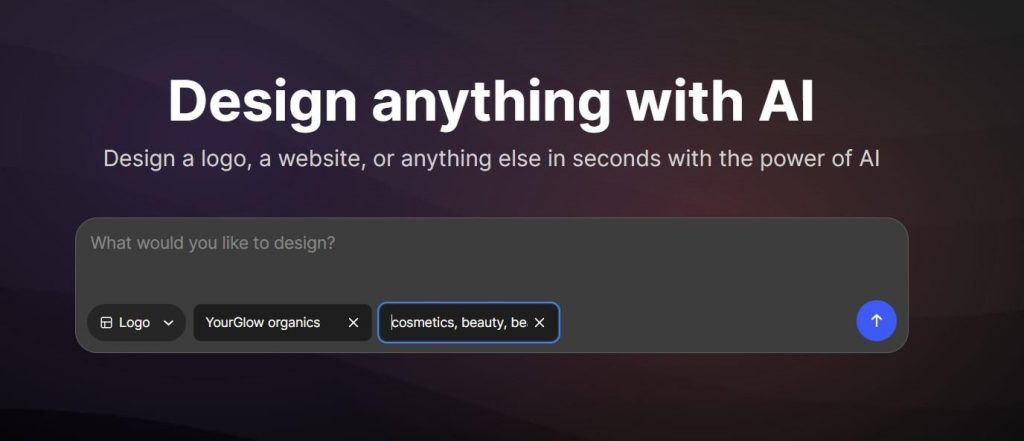
- Enter your business name and some keywords, and the platform will generate thousands of options in seconds.
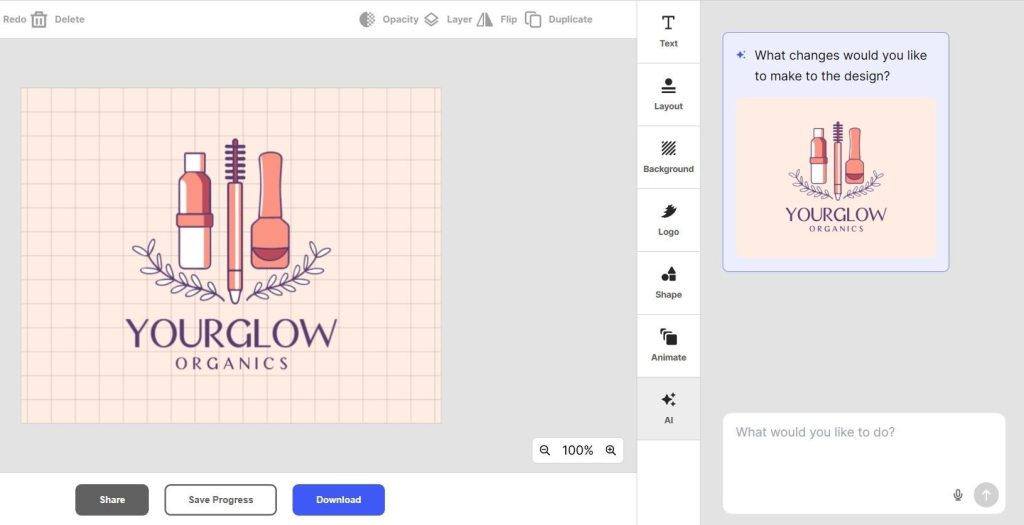
- Pick the sample you like and turn to customization. Edit everything from text styling, layouts, background colors, shapes, and animations. If you need more work to be done, ask for anything in the AI chatbox and get your ideas generated in seconds!
- Download your free logo, preview it to see what it looks like on other marketing items, or just save your progress if you need to get back to it later.
Pricing: Design.com has a wide selection of 100% free logos, business cards, websites, and other designs. Downloading a free logo also opens access to 50+ design tools and a free link-in-bio creator.
Pricing plans:
- Starter (Logo Pack): $5 per month billed annually
- Value (Logo Pack + Website): $6 per month billed annually
- Premium (Logo Pack + Website + More): $7 per month billed annually
Expert Reviews: Trustpilot Rating 4.7/ 5 ⭐
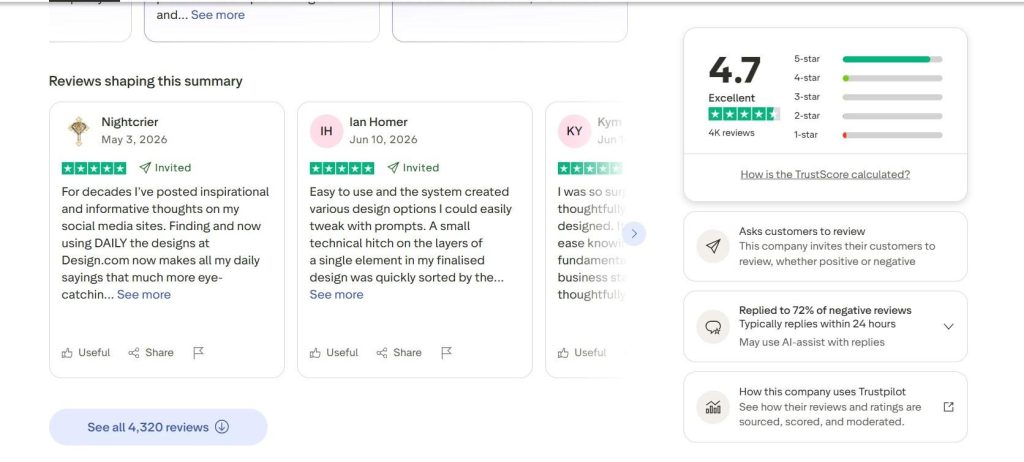
This rating is based on 4000+ reviews by real users who have tested the tool. They mostly highlight having a positive experience with the platform and the customer service team. Users also expressed satisfaction with the quality of the generated designs.
- BrandCrowd
BrandCrowd is an AI-powered design platform that helps businesses, entrepreneurs, and creatives instantly generate and customize logos, business cards, and social media graphics. All from a library of hundreds of thousands of templates.
The tool is built in a way that instantly generates logo design templates, which can be customized to match any industry through a user-friendly dashboard and a built-in AI chatbox interface.
The logo generation and customization steps are super easy, fast, and smooth, with no design experience or additional hiring needed.
| BrandCrowd in Numbers | |
| N of templates | 380,000+ |
| N of vector files | 62,000+ |
| N of fonts | 750+ (525+ exclusive) |
Features: BrandCrowd comes with AI features like a logo generator, business name generator, and background remover, plus a simple chat-based editor where you can ask AI to bring any idea to life. And it’s all copyright-safe. On top of that, everything in its library is made by professional designers.
How it works: To test its AI logo generation features, go to the AI logo generator, which is located in the bottom left corner of BrandCrowd’s website.
- Enter your business name and describe it. Here’s our own example of a brand called “YourGlow Organics”, which produces organic care products.
- Hit “Generate” and watch the tool generate thousands of samples for you. Notice how the tool inserts relevant keywords to make the samples more tailored to your industry.

- Choose the sample and make your edits in the special dashboard. Here, you can also preview your logo on various branding items (like websites or business cards), save it for later, or download it right away.
Pricing: BrandCrowd has a wide selection of absolutely free logos, business cards, websites, and other designs. By downloading a free logo, you also get access to 50+ design tools and a free link in bio creator.
Pricing plans:
- Starter (Logo+ 50 Design tools): $5 per month billed annually
- Value (Logo + 50 Design tools + Website): $6 per month billed annually
- Premium Logo + 50 Design tools + Website + More): $7 per month billed annually
Expert Reviews: Trustpilot Rating 4.7/ 5 ⭐
Based on 9000+ reviews, users mostly appreciate the platform for its user-friendliness and ease of navigation, making it simple to create professional and unique products. Many also highlight the extensive selection of logos and templates, along with the extensive customization functionalities.
- Turbologo
Next up in the list is Turbologo, a free AI logo maker that also helps to form a full brand kit based on the generated logo, with over 100 branded templates.
Features: With its AI-powered features, you can start by creating logos and go further to generating business names, cards, social media posts, and build websites.
How it works: To begin, enter your business name and hit “create my logo”.
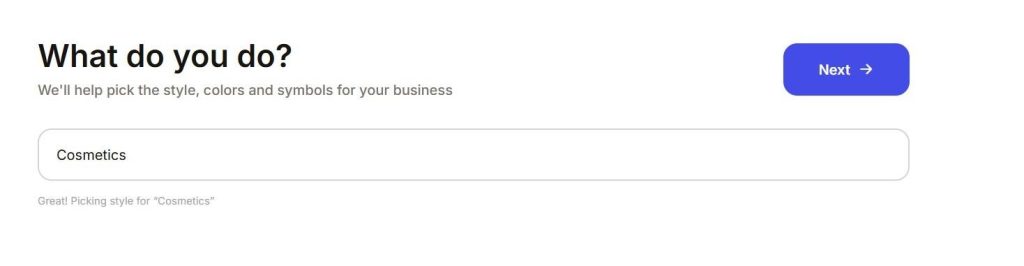
- You are then asked several questions regarding your business. Here, you can also get suggestions from AI, such as AI-generated slogans.
- The tool gives you several logo styles you can choose from. Pick from these options, choose colors and preferred symbols, and watch your logos get generated.
- Pick the most suitable one and proceed with the customization of colors, icons, shapes, or texts.
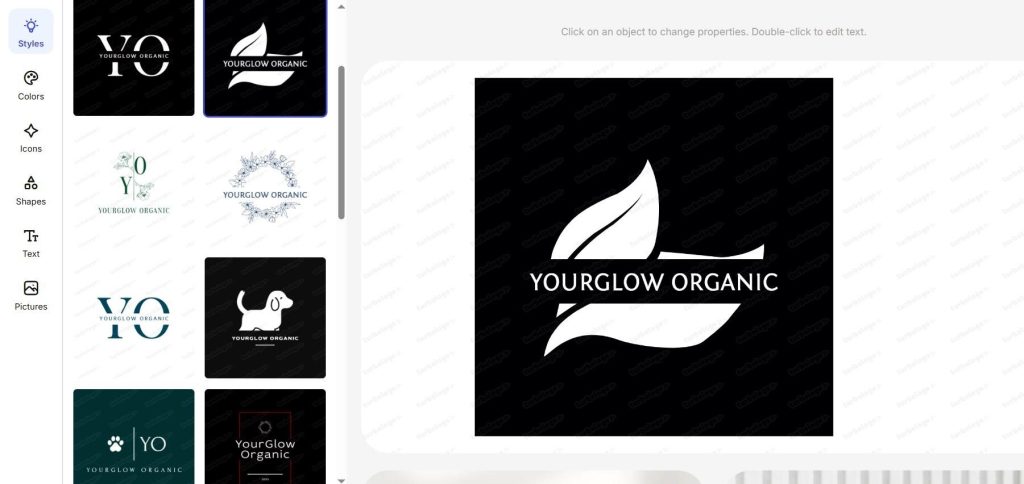
Pricing: To download your final result, you need to subscribe to any of the offered pricing plans:
- Lite (one logo in low quality): $9,99 (for 3 months)
- Standard (All logo files + extended access to AI services): $19,99 (for 3 months)
- Business (Everything to start a business + AI website builder + AI Chat): $39,99 (for 3 months)
Expert Reviews: Trustpilot Rating 4.3/ 5 ⭐
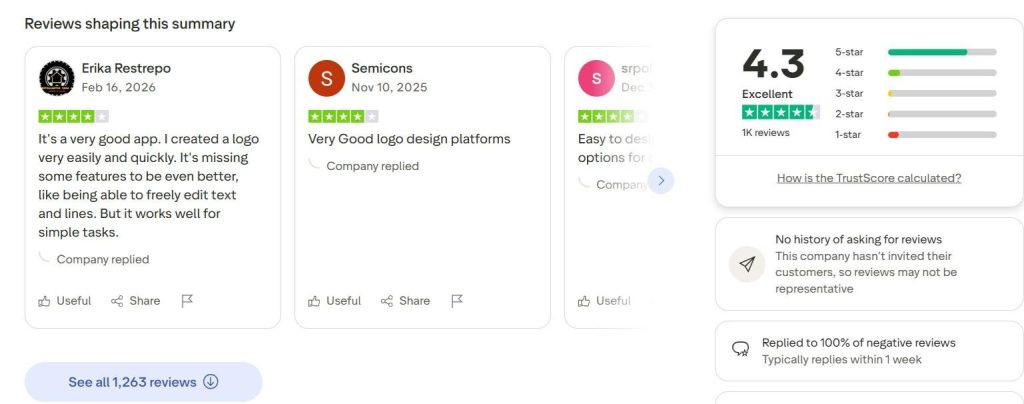
There are over 1000 reviews about Turbologo on Trustpilot.
Users mostly highlighted that the platform was quite intuitive to design and download logos, even for beginners. Many appreciate the extensive customization options and the ability to generate multiple logo variations and formats. However, some mentioned that the platform still lacks advanced features and is mostly suitable for simple design tasks.
- LogoAI
Next up for the review is LogoAI, an AI-powered online logo-making platform. With LogoAI, users can design professional logos, matching identities, and automate brand promotion with on-brand social media content.
Features: Along with logo creation and customization, LogoAI also helps in building branding identity around the logo, such as creating business cards, posters, social media posts, or visuals. Its AI engine works on analyzing and understanding the brand’s data and creates tailored logo designs.
How it works: To see how it works, we have tested the logo creation steps. First thing to note is that Logo AI follows a procedure of answering brand-related questions before generating logo samples. Here are the steps to follow:
- You start by entering your business name and slogan (optional step)
- Then, proceed to mention your industry.
- Last, pick your favorite color palette and font styles.
Note: The number of industries to choose from was very limited, as we failed to find one that represented our example business industry. We had to choose the “Other” industry option. Therefore, the initial logo design templates were somewhat vague and didn’t match our example. More detailed customization was needed as a result.
The platform then generates tailored templates according to the data you provided. Choose the one that resonates with your business the most and go on with editing it.
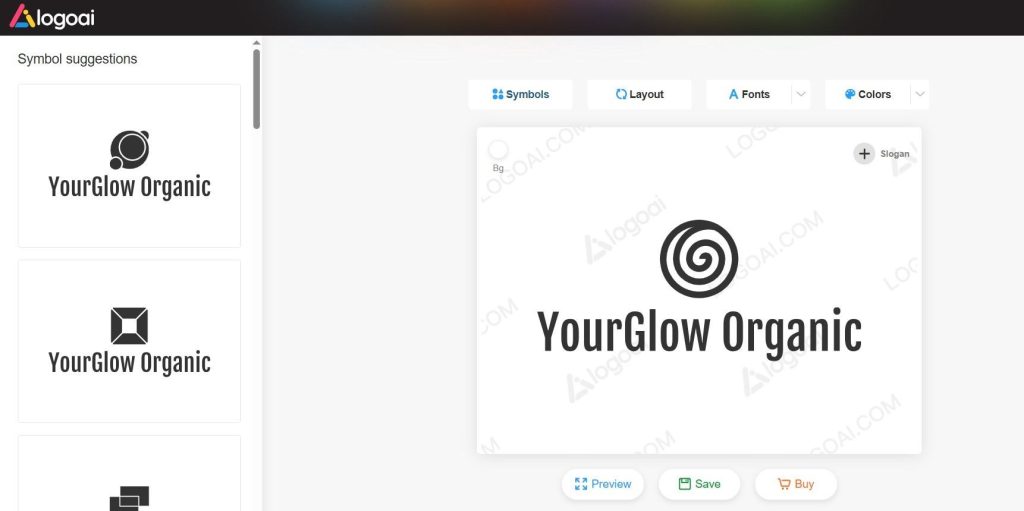
You can either save your logo for later, preview it (in full-size format), or proceed to buy it.
Pricing: To buy your logo, the pricing starts at $29 USD (800 X 600px)
Expert Reviews: Expert Reviews: Trustpilot Rating 2.2/ 5 ⭐
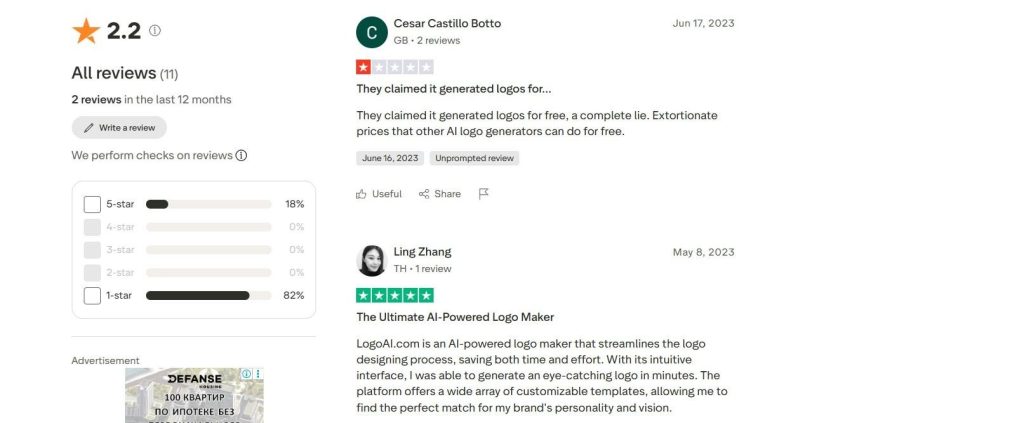
Based on users’ reviews on LogoAI, they are mostly satisfied with the tool, the generated logos, and the platform’s customization features. However, some users also expressed concerns with billing and subscription issues.
- DesignEvo
DesignEvo is another free logo maker. Just like the tools reviewed above, this one also helps in creating not only a brand’s logo, but also going further with forming its brand identity.
With DesignEvo, you can start creating your logo by working on ready-made templates or designing your logo from scratch by working on a blank canvas and adding every other detail (such as icons, texts, or symbols) on your own.
Features: The tool offers 10,000+ templates ready for customization, 100+ fonts in various styles, a large selection of icons, and color schemes. It also offers access to your logo in high-quality SVG and PDF files and full copyright ownership.
How it works: To begin, click on the “Make a logo” button and follow the steps after. Choose from the industry-related initial logo templates or search for your industry in the search bar in the upper left corner.
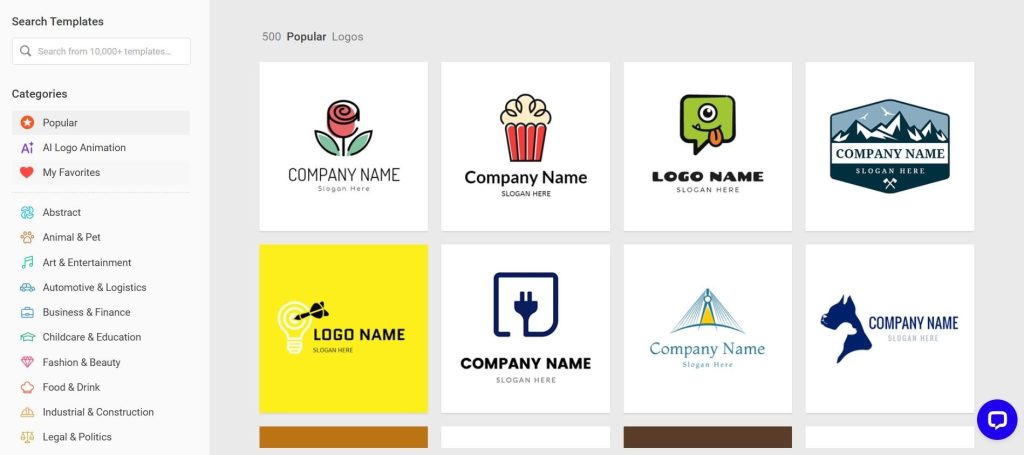
After you have picked the preferred design, proceed to the customization dashboard. Here, you can edit your logo by putting your business name on it, adding a slogan, and customizing details such as icons, shapes, and background colors.
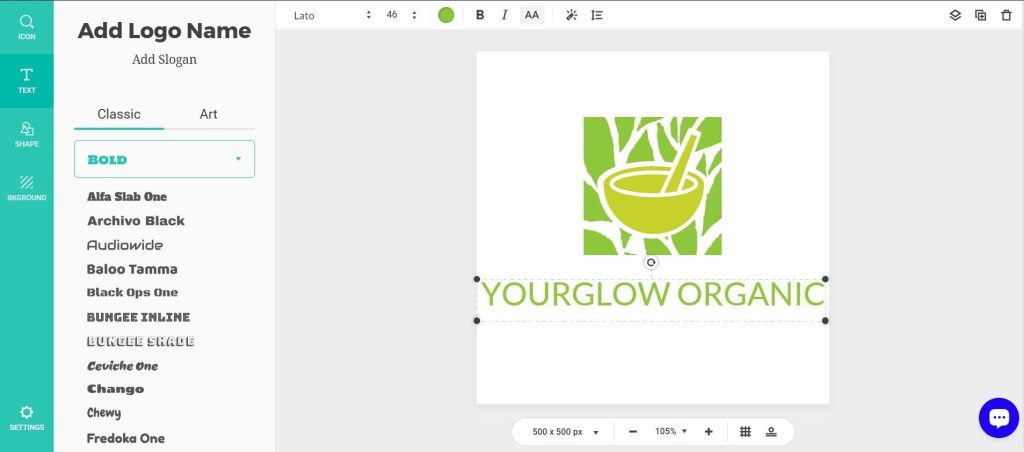
Once you are done customizing, you can either preview your logo design on various branding items or download it.
Pricing: The pricing plans vary according to the features they include. The Basic plan starts at $24,99 and includes downloading your logo with a high resolution of up to 5000px.
Expert Reviews: Trustpilot Rating 4.8/ 5 ⭐
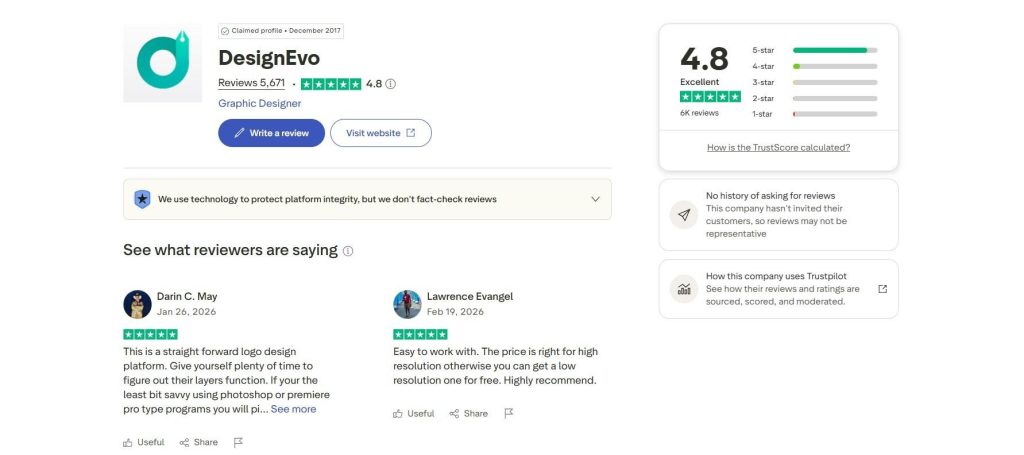
DesignEvo has over 5000 reviews on Trustpilot, where users generally had a great experience with DesignEvo, noting its easy-to-use interface, affordable pricing, and the variety of templates, icons, fonts, shapes, and color options. A couple of users mentioned the layers feature takes a little time to get used to, but nothing too difficult to figure out with some practice.
- LOGO.com
LOGO.com is another widely used option for logo making. With offered logo ideas or a step-by-step logo creation process, users can design and customize logos and other products necessary for brand promotion. This includes generating a brand kit, building a website, a link in bio, social media templates, and more.
Features: This AI-powered logo maker generates hundreds of logo concepts based on your business name, industry, and preferences. It also uses AI to create custom icons, suggest color palettes, generate taglines and brand imagery, and provide design recommendations tailored to your business.
How it works: The first step to logo creation is entering your business name right on LOGO.com’s homepage. Next, it follows the same procedure of asking questions regarding your business, such as your business industry, slogan, or preferred colors. You also get an AI-generated suggestion for each step.
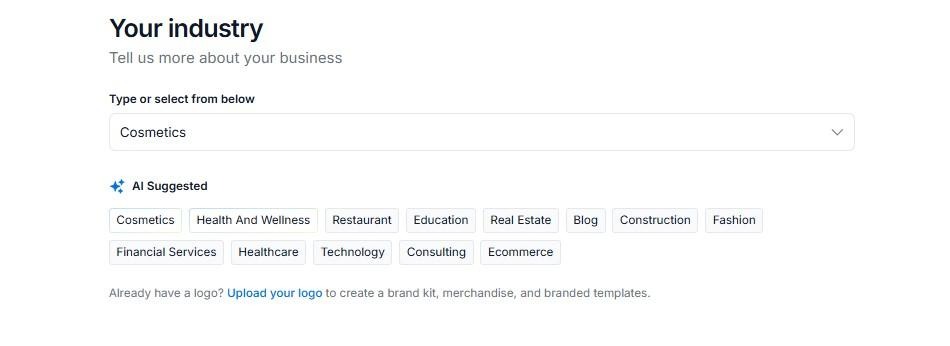
You also need to mention whether you are just starting your business or it is a growing one. As you are done with this section, you can see lots of generated logo design templates ready for customization. Edit everything from layouts to icons, shapes, and texts.
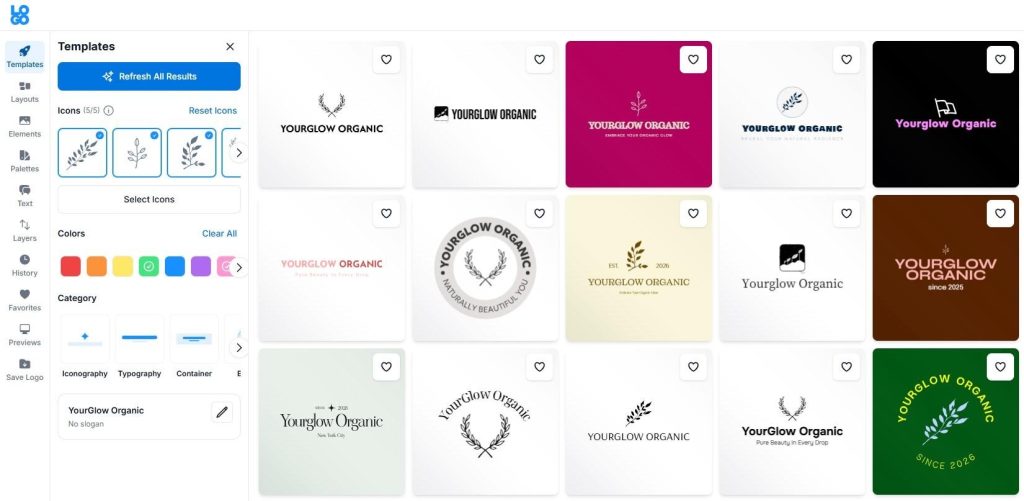
LOGO.com also offers a feature of previewing your logo design on various branding elements, such as business cards, merch items, and more.
Pricing: LOGO.com provides limited spots for free logo saving options (1 logo). To save more, you need to upgrade your pricing plan, which starts at $12 USD billed monthly.
Expert Reviews: Trustpilot Rating 4.6/ 5 ⭐
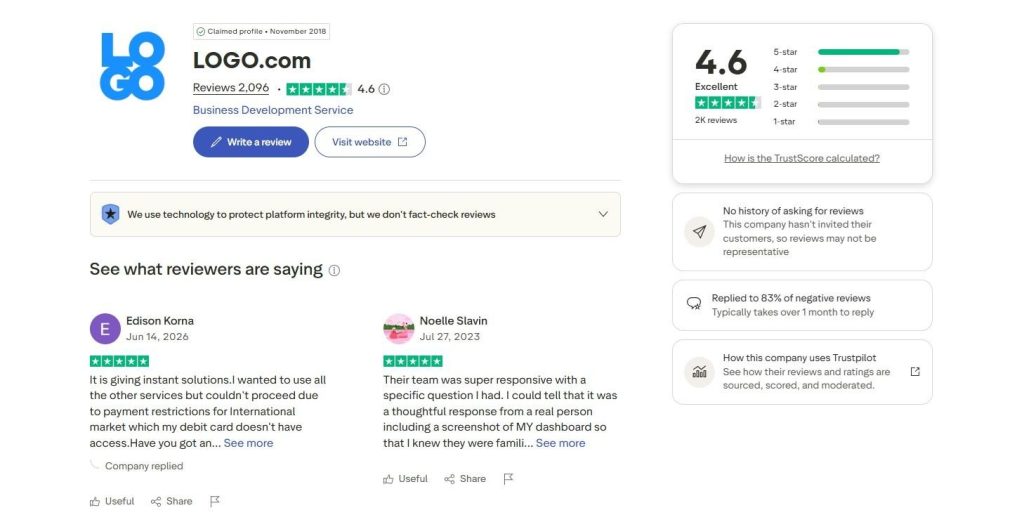
Based on over 2000 reviews, users highlighted the platform’s smooth, intuitive, and practical user experience and the ability to generate instant good results. The 1-star reviews, however, are mostly directed towards billing and subscription cancellation complexities.
- Logomakerr.AI
Logomakerr.ai is an AI-driven logo maker that uses AI technology to generate logos and form branding kits for individuals, marketers, and businesses.
Features: Based on your business data and information, the AI technology generates instant results and offers a variety of fonts, colors, symbols, and layouts, which you can also customize as preferred. Then, you can build other branding items around your logo, such as business cards, presentation templates, flyers, and social media posts.
How it works: Right after entering the platform’s website, you can see the “Let’s make a logo” button. After clicking on it, you start by providing some baseline information on your business, such as:
- Your business name and optional slogan
- Your industry.
- Your business color palette
- Preferred font styles.
Note: Just like it was in the case of LogoAI, we failed to find our example business industry among the listed options, so, here too, we had to choose the “Other” industry. The generated logos were, again, somewhat far from matching our business industry and name.
Even after completing these steps, you can still customize colors and fonts while browsing the generated logos. The platform automatically filters and updates the logo options based on the colors and fonts you select.
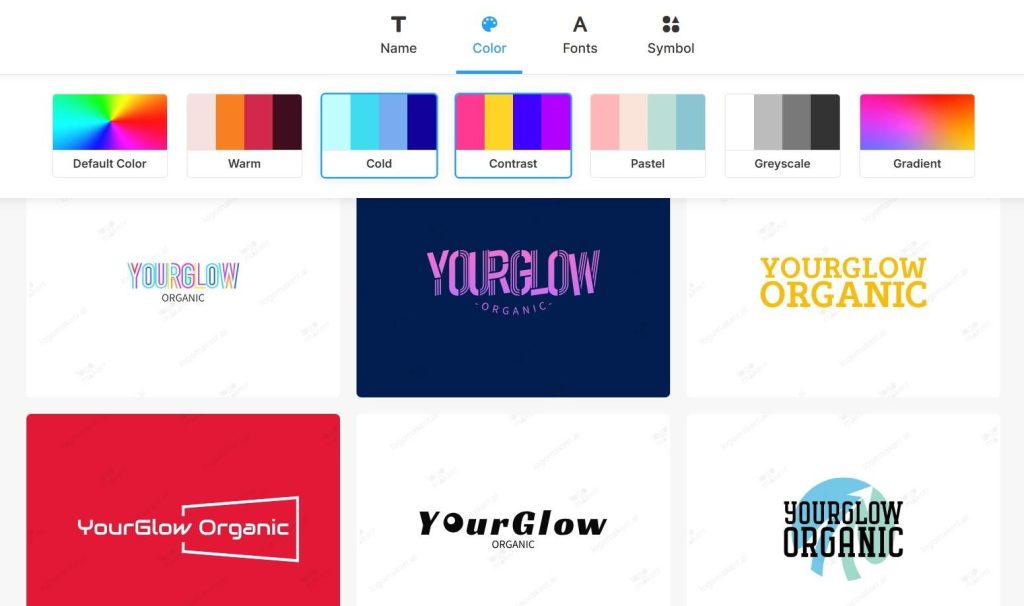
After choosing a template, you are then redirected to the editing dashboard, where you can further work on your logo’s colors and text fonts.
As you are done editing, you can preview your logo, save it for later, or purchase it right away.
Pricing: The pricing for buying and downloading your logo starts at $29 USD (one-time payment). The logo comes at a resolution of 800 x 600px.
Expert Reviews: Trustpilot Rating 4.5/ 5 ⭐
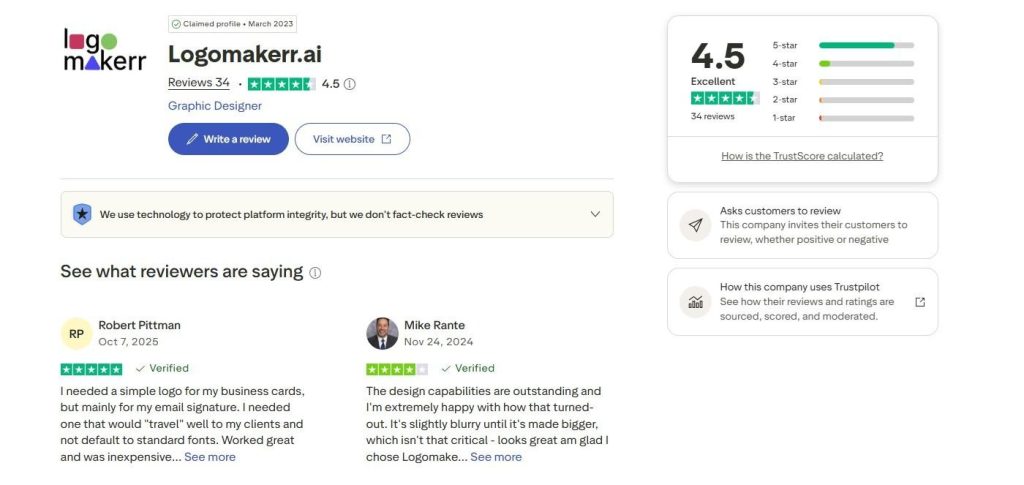
Based on the reviews, the users overall expressed positive opinions about Logomakerr.ai’s ease of use, mentioning its simple interface, quick logo generation process, and variety of design options. However, some users expressed concerns about limited customization options and the lack of more advanced editing features.
- Namecheap
Last but not least, Namecheap is a free logo maker that helps businesses create custom logo designs online. Beyond its logo maker, Namecheap offers a range of marketing tools to help businesses build and manage their online presence. These include website builders, business card makers, email and productivity apps, and managed WordPress hosting.
Features: Namecheap uses AI to generate custom logo designs based on the user’s preferences. After users provide some necessary business information, AI then combines these choices to create a selection of logo variations tailored to the brand. The platform also offers customization options for colors, fonts, icons, and layouts and allows users to preview logos on business materials such as websites and business cards.
How it works: To begin, you start by entering your business name and choosing the type of your business. Here’s how it looks on our example:
Then, the tool offers you to choose 6 favorite font styles, favorite colors, and icons. You can also type your slogan, if applicable.
After completing these steps, the system generates several logo design templates that you can edit, too.
As you scroll down, you can also view how your logo looks on different branding items.
As you are done editing, you can save your results or proceed to download.
Pricing: Namecheap logo download is completely free; however, you need to set up a Namecheap account in order to download your logo in PNG and SVG files.
Expert Reviews: Trustpilot Rating 4.2/ 5 ⭐
The users mostly left positive reviews on their experience with Namecheap’s logo maker, highlighting that the tool is easy to use and the design process is fast.
To Sum Up
Now that you have a general overview of the 8 best AI-powered logo design tools at hand, you can proceed with comparing their features, pricing, and testing the tools yourself to find the one that will give you the best logo for your business.
Start with Design.com, as it offers the largest design template library and extensive customization features. The built-in AI chat interface will be especially helpful in bringing your specific design ideas to life.